
The practical toolbox and knowledge base for BIM professionals
Short lessons, free tools that work on your model, and a community that answers.Made by the community to help people do the job. Pick what you’re working on, learn it in a short lesson, get it done with a tool, and ask on the forum when you need more.
Free. No sign-up needed. Export your work to Excel, PDF or Word.
- topics
- 22
- topics
- tools
- 30
- tools
- lessons
- 62
- lessons
- entries
- 108
- entries
Tools that work on the model
Recorded on the sample clinic. One click opens it for you, in your browser.
Meet the team
Seven colleagues, one project. Pick who walks you through it first.
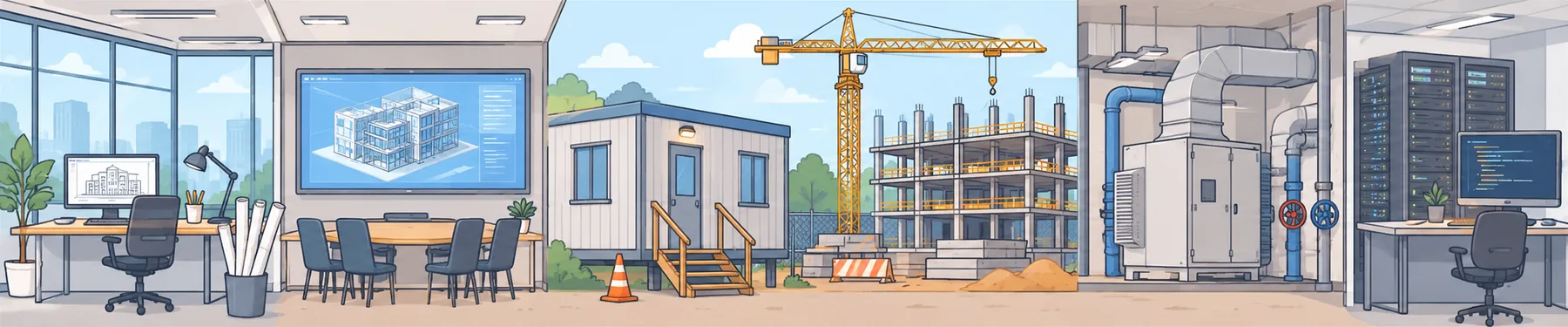
Swipe to walk through the project →
Starring Nadia · Maya · Omar · Priya · Kai · Leo · Ada
This week on BIMpedia
This week in BIM
All newsOn the forum
Ask a questionWhat are you working on?
- 1 · Set upISO 19650 basicsWhat does ISO 19650 actually ask of my project?
- 1 · Set upBEP and rolesHow will our team deliver the information the client asked for?
- 1 · Set upMIDP and TIDPWho delivers which information, and when?
- 1 · Set upNaming and the CDEHow do we name, share and approve files so everyone trusts them?
- 1 · Set upCoordinatesDo all our models sit in the right place in the real world?
- 2 · RequirementsLOD and LOINHow much detail and data does each element need, and when?
- 2 · RequirementsDesigning with the modelWhat does a designer's model need, so everyone after them can use it?
- 3 · CoordinateClash coordinationHow do we find the clashes that matter — and get them fixed?
- 3 · CoordinateMeetings and issuesHow do we run the weekly loop so issues actually close?
- 4 · CheckModel checkingIs this model good enough to share or accept?
- 5 · ConstructionConstructabilityCan it be built the way it's modelled?
- 5 · ConstructionQuantities and costCan the estimator trust quantities from the model?
- 5 · ConstructionPlanning and 4DDoes the programme match the model?
- 5 · ConstructionHealth and safetyHow can the model help people build, maintain and change the building safely?
- 5 · ConstructionSite and as-builtDoes the site use the model, and does the model learn from site?
- 6 · HandoverHandoverWill the people who run the building get the data they need?
- 7 · OperationsAsset informationWhat does the FM team need on day one?
- 7 · OperationsFM systemsWill the data still be right in five years?
- 7 · OperationsDigital twinsWhat's real, and where do you start?
- 8 · AutomationScripting and APIsWhich repetitive tasks could a script do?
- 8 · AutomationData and dashboardsWhich questions can the model's data answer?
- 8 · AutomationAI in BIMWhere does AI actually help today?
Documents you issue every week, ready in minutes
- BEP BuilderAssemble a BIM execution plan from editable sections, with your tool outputs as appendices.Excel · PDF · Word
- LOD / LOIN MatrixSet the level of development per element and stage, with responsibilities and information requirements.Excel · PDF · Word
- Clash Test MatrixDefine which disciplines are tested against each other, with tolerances, priorities and owners.Excel · PDF · Word
- Coordination Meeting PackAgenda, attendance, issue log, actions and minutes. Roll open issues into the next meeting.Excel · PDF · Word
- Clash Report ImporterTurn a Navisworks clash report into a short list of grouped issues, then send them to the Meeting Pack.Excel · PDF · Word
- RFI RegisterNumbered requests for information with due dates, responses, impacts and an overdue watch.Excel · PDF · Word
Short lessons, one concept at a time
62 five-minute lessons with diagrams, a quick check, flashcards and your own notes.
Standards and terms in plain language
108 entries, from ISO 19650 to IDS, each linked to the lessons and tools that use it.
Being built next
- PlannedAsset Register Builder
Build an asset register from an IFC or COBie file: maintainable asset types only, tags checked against your rule, properties checked against your asset information requirements.
- Planned4D Simulator
Link programme activities to model elements by codes (level, zone, package): import a task list, see which elements match each activity and which match none, export for 4D software.
Made by the community. Ask for what you need.
BIMpedia started in the BIM community to help people do the job: coordinators, information managers, modellers, anyone who works with models and project information. It isn’t a company product. If you need something, ask on the forum.
- More content
A lesson, a Pedia entry or a topic that isn’t here yet.
- An explanation
Something on a page isn’t clear, or doesn’t match how your projects work.
- A new tool
A document or a check you still do by hand.
- A full or custom tool
The tools are kept simple: no login, your work stays in your browser. If you need one with an account and saved data, or one made for your team, ask.